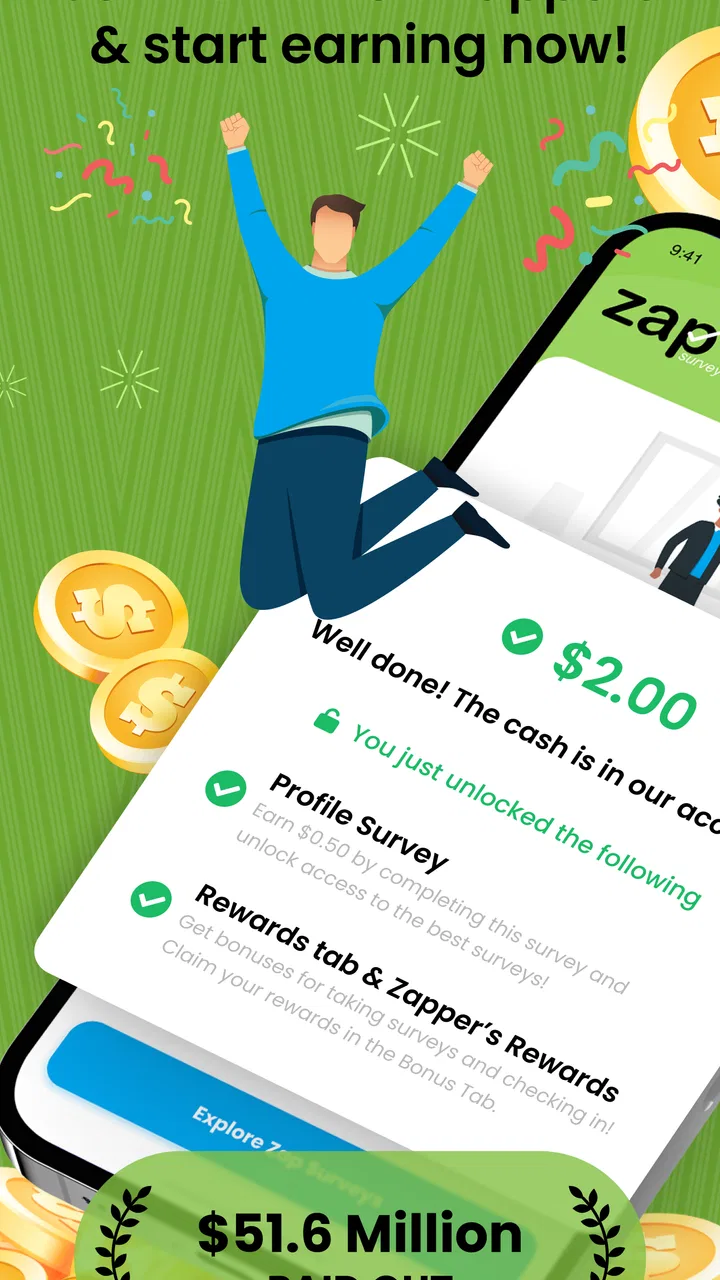
Zap Surveys: Earn Easy Money
- 4.3
- Rating
- 1.00M
- Installs
- Free
- Price

 Analysis by App-foxy
I approached Zap Surveys: Earn Easy Money as a small, practical lifestyle app rather than a shortcut to a full income. Its purpose is straightforward: it connects you with paid online surveys and lets you work toward gift cards or cash through PayPal and Visa. That makes it most interesting for the spare minutes that usually disappear while waiting for an appointment, sitting on a commute, or taking a short break.
My overall impression is that the app is easy to understand and has a clear reason to exist. You are not learning a complicated system or managing a large dashboard. You check for available surveys, read the requirements, answer questions, and build toward a reward. The important question is not whether the idea sounds attractive, but whether the experience fits your patience, schedule, and expectations. In my view, it can be useful for occasional extra rewards, but it is a poor match for anyone expecting predictable hourly earnings.
How the survey experience feels in everyday use
The first thing I noticed is that the app’s value depends heavily on timing. A survey platform is only useful when suitable questionnaires are available, and suitability can change with your profile, location, and the research being conducted. That means Zap Surveys is better treated as an app to check periodically than as a task list that will always be full when you open it.
You May Also Like

 Blood Strike: 2.5 Anniversary
Blood Strike’s Loadouts Turn Every Drop Into a Tactical Gamble
A close look at Blood Strike’s custom loadouts: how fast access to signature weapons reshapes its battle royale rhythm, rewards preparation, and narrows the gap between fights.

 Pandora - Music & Podcasts
Pandora’s Music Is Easy to Start, but Harder to Recover
Pandora’s strength is its low-effort path from a seed to a station. Its weak spot is how much confidence it asks you to place in connection, setup, and quiet recovery.

 8 Ball Pool
 Is Built on Rivalries, Rematches, and Routine
A close look at the rivalries, rematches, shared routines, and unanswered safety questions that turn a quick pool match into a persistent mobile community.

 Samsung Music
’s Quiet Strength Is Playing What You Already Own
Its reach comes less from spectacle than from dependable access to a personal library. That simplicity is both the app’s strongest retention engine and its ceiling.

 AccuWeather: Weather Radar
AccuWeather Review: A Quick, Clear Forecast for Everyday Decisions
For everyday plans, the best forecast is the one you can understand quickly. AccuWeather makes rain timing, radar, and local conditions easy to act on, with a few trade-offs.

 Hill Climb Racing
Why Hill Climb Racing Still Turns Crashes Into One More Run
A tiny car, a bumpy hill and one more upgrade: Hill Climb Racing keeps resurfacing because its simple chaos makes every near-miss feel personal.
More From Our News Desk



A realistic routine would be opening it during a few unused minutes rather than setting aside an entire evening. I might check while waiting for a train, scan the available opportunities, and choose one that appears short enough to finish without interruption. If I had to stop repeatedly to search for work or wait through long loading screens, the reward would feel less worthwhile. The app’s simple concept works best when the effort of checking is kept low.
The store identifies it as a free app from Zap Surveys, LLC, and its Everyone age rating makes it approachable for a broad audience. I would still encourage younger users to involve a parent or guardian when dealing with online accounts and payments. The age label describes suitability, not a guarantee that every survey will be equally relevant to every person.
There is also a useful distinction between “available” and “worth taking.” A questionnaire may match your general profile but still take longer than you expected, or it may screen you out after you have spent time answering initial questions. That is a normal frustration with survey services, and it is one reason I would avoid starting a survey when I only have a few seconds before doing something else.
Speed depends more on the survey than the interface
When people ask whether a survey app is fast, they often mean two different things. They may be asking whether the screens respond quickly, or whether the entire process turns spare time into a reward quickly. Those are not the same. A smooth interface cannot remove the time needed to qualify, read questions carefully, complete the questionnaire, and reach the relevant reward threshold.
For me, the sensible approach is to judge each opportunity by the balance between expected effort and potential value. I would read the estimated length or instructions carefully before committing, then quit early if the questionnaire becomes confusing or starts asking for information that feels unrelated to the stated topic. Rushing through answers is not a good strategy: it can make the experience unpleasant and may produce inconsistent responses.
The app is most appealing when I can use it in short, focused sessions. I would not open it expecting an instant payout after answering one question. The store summary mentions gift cards, PayPal, and Visa, but those options should be viewed as destinations for accumulated rewards rather than evidence of immediate cash from every survey.
One practical tip is to keep a simple personal note about which survey types feel worthwhile. After several sessions, you can recognize whether short consumer questionnaires suit you better than longer opinion studies. That small habit prevents the app from becoming a stream of impulsive taps and helps you protect your time.
What happens during heavier use
Heavy use is less about demanding graphics or complicated calculations and more about repeated browsing, reading, and submitting. This is a lightweight lifestyle app, not a game with animated worlds or a video editor that would normally place sustained pressure on a phone. I would expect the main burden during a long session to come from keeping the app open while moving through several surveys, not from visually intensive content.
Even so, a long session can feel demanding in a different way. Survey fatigue arrives before a phone necessarily feels warm or slow. Repeated rating scales, demographic questions, and similar prompts can make it easy to lose concentration. I found that taking a short pause between questionnaires is more useful than trying to maximize every minute. Accuracy matters more than speed because careless answers undermine the reason for completing the survey in the first place.
For users with limited mobile data, I would make survey sessions deliberate rather than leaving the app open in the background. The app’s core activity is online, so the practical concern is not just device performance but connectivity and data usage. I would check opportunities when I have a stable connection and avoid starting a longer questionnaire in a place where service is unreliable.
Another non-obvious trade-off is notification pressure. If you allow every possible alert from a rewards app, the convenience of finding new opportunities can turn into distraction. I prefer checking on my own schedule and keeping the app from interrupting work, study, or family time. The best earning routine is one that remains a small habit instead of becoming a source of constant attention.
Stability, interruptions, and recovering from a broken session
Reliability matters more here than visual polish because a lost survey can mean lost time. I would begin important questionnaires only when the phone has a dependable connection, enough battery for the session, and no immediate reason to switch to another app. Those precautions are simple, but they reduce the chance of an interrupted submission.
If a session stops unexpectedly, my first step would be to reopen the app and check whether the opportunity or reward status has updated before attempting the same survey again. Repeating actions too quickly can create confusion, especially when a questionnaire has already been submitted but the result has not appeared immediately. I would also avoid tapping the submission control repeatedly while a page is still responding.
This is where my expectations remain measured. A survey app cannot control every part of the experience because questionnaires may be hosted or managed as individual research opportunities, and eligibility can change while you are using the service. I would consider Zap Surveys dependable enough for low-stakes spare-time use, but I would not organize an important bill or a fixed financial commitment around an expected reward.
Recovery is also easier when you keep your own record of completed activity. I do not mean taking screenshots of every screen; a short note with the date, survey topic, and whether the reward appeared is enough for personal reference. This is especially helpful if you participate frequently and later need to distinguish a completed questionnaire from one that ended during screening. It gives you a clearer history than relying on memory.
Privacy deserves a deliberate decision as well. Surveys naturally ask about opinions and personal characteristics, so I would read each questionnaire before answering and skip anything that makes me uncomfortable. The ability to earn a reward does not mean every question is worth answering. A good personal rule is to share only what you understand and what you are comfortable associating with a research profile.
Older phones and practical device limits
The minimum operating system is Android 5.0, which points to broad compatibility with older Android devices. That is useful for people who keep a spare phone or do not replace their handset frequently. However, operating-system compatibility does not guarantee an identical experience on every device. Older hardware may have less memory, a weaker battery, a smaller display, or a browser component that handles online forms less comfortably.
On a modest phone, I would keep the session focused: close unrelated apps, use a stable connection, and avoid beginning a long survey when the battery is nearly empty. These are not special requirements for Zap Surveys so much as sensible precautions for any online questionnaire app, but they matter more when the reward is modest and a technical interruption could erase the value of the session.
Screen size can affect comfort too. A survey that looks manageable on a modern phone may require more scrolling on a compact display. I would slow down on questions with several answer choices and check that the selected response is actually the one I intended. A larger screen is not essential, but it can make extended sessions less tiring.
The current version is 4.06.00, so I would keep the app updated through the normal store process when an update is available. Updates can be important for compatibility and account handling, but I would not assume that a newer version automatically makes every survey faster or increases the number of opportunities. Those factors depend on the service and on which questionnaires are available to you.
Who will get the most from it?
I think Zap Surveys is best for someone who already has small gaps in the day and is comfortable exchanging attention for modest rewards. Students, commuters, part-time workers, and people who enjoy sharing opinions may find the format easy to add to an existing routine. The free price removes the need to risk money just to try it, which makes experimentation relatively simple.
It is also suitable for people who prefer several redemption paths. Being able to work toward gift cards, PayPal, or Visa gives the reward system more practical flexibility than an app tied to one destination. The right choice still depends on what you personally use, but I appreciate not being forced into a single kind of reward.
I would skip it if you dislike screening questions, have very little patience for surveys, or need guaranteed earnings at a known rate. It is not a replacement for paid employment, freelancing, or a dependable side business. Someone who wants immediate cash after a predictable amount of work will probably be happier with a conventional gig platform, even if that alternative requires more effort to join or complete tasks.
Compared with ordinary cashback apps, this service asks for more active participation. Cashback can be almost invisible once a purchase is made, while surveys require your time and attention directly. Compared with microtask platforms, the work here is narrower: you are giving opinions rather than completing a broad range of digital tasks. That focus is convenient if you like questionnaires, but limiting if you want variety.
Its public reception suggests that many people find the concept worthwhile: the app holds a 4.3 average from roughly 166 thousand ratings, with more than 20 thousand written reviews and over a million installs. I treat those figures as evidence of a substantial user base, not a promise that my own survey availability or payout experience will match everyone else’s.
My practical routine for avoiding wasted time
I would use the app with a small set of rules. First, I would check it at planned moments instead of constantly refreshing. Second, I would read the opening details before starting. Third, I would stop if the questionnaire becomes unclear or if the time commitment no longer feels reasonable. Finally, I would confirm that a completed activity has registered before closing the app.
I would also separate “trying the service” from “depending on the service.” During the first few sessions, I would learn how the survey flow feels, how often suitable opportunities appear, and which reward option makes sense for me. Only after that would I decide whether it deserves a regular place on my phone. This prevents the common mistake of treating a promising first impression as proof of consistent income.
Another useful workflow is to reserve longer surveys for quiet periods and shorter ones for waiting rooms or queues. That sounds obvious, but it prevents the most annoying mismatch: starting a questionnaire that needs concentration just before a meeting or appointment. The app becomes more manageable when the survey length fits the situation rather than controlling the situation.
My final view on performance and value
From a performance perspective, Zap Surveys is appealing because its purpose is uncomplicated and its device demands should be modest compared with visually heavy apps. The real speed test is not animation or loading alone; it is whether a survey can be completed without wasting attention through poor timing, unsuitable screening, or an interrupted connection. Used in short, intentional sessions, it feels like a reasonable way to make idle minutes slightly more useful.
My reservation is the same one I have with survey services generally: your time is the scarce resource. Rewards through gift cards, PayPal, and Visa sound convenient, but convenience at redemption does not erase the effort required to qualify and finish questionnaires. I would never rush answers, keep the app open all day, or count on a particular reward arriving when I need it.
My recommendation is to try it as a flexible rewards app, not as a guaranteed income tool. The free entry point, broad Android compatibility, Everyone rating, and multiple reward destinations make it approachable. The best results will come from users who are selective, patient, and willing to stop when a survey no longer offers a fair exchange for their time.
Developed by Zap Surveys, LLC, the app has a clear place in the lifestyle category: it turns opinions into a small, optional reward routine. I would recommend it to a friend who enjoys surveys and wants something to check during otherwise empty moments. I would point that same friend elsewhere if they need stable earnings, a predictable workload, or a task system that remains valuable even when no questionnaire matches their profile.
FAQs for Zap Surveys: Earn Easy Money
01What is Zap Surveys: Earn Easy Money, and how does it work?
Zap Surveys is a rewards app that lets users earn money or other rewards by completing online surveys and occasional research activities. After creating an account, you receive survey invitations based on your profile and location. Each survey displays its estimated reward and requirements before you begin, although availability and earnings can vary significantly from one user to another.
02How much money can you realistically earn with Zap Surveys?
Your earnings depend on how many surveys you qualify for, the length of each questionnaire, your demographic profile, and the opportunities available in your region. Some surveys pay only a small amount, while longer or special research tasks may offer more. It is best viewed as a way to earn occasional extra cash rather than a dependable replacement for regular income.
03How do withdrawals and payments work in Zap Surveys?
Zap Surveys generally allows eligible users to redeem accumulated rewards through the payment methods shown inside the app, which may include cash-based options or gift cards depending on your country. Before completing surveys, check the current minimum withdrawal amount, processing times, and available options. Payment availability can change, and some rewards may require account verification.
04Is Zap Surveys safe to use, and what personal information does it request?
The app may ask for profile information such as your age range, gender, location, occupation, interests, and purchasing habits so it can match you with suitable surveys. You should review its privacy policy and permissions before registering. Avoid submitting sensitive information that is not necessary, and remember that survey responses may be used for market research by participating companies.
05Why do I sometimes get rejected from surveys or fail to receive invitations?
Survey providers target specific groups, so being screened out is normal and does not necessarily indicate a problem with your account. You may be rejected because your profile does not match the required audience, the survey quota is already full, or your answers do not meet quality checks. Keeping your profile accurate and answering consistently can improve future opportunities, but it cannot guarantee qualification.
Pros
- Short surveys are easy to complete during spare moments.
- Offers multiple cash-out options for eligible users.
- New survey invitations can appear regularly.
- Simple interface makes the app easy to navigate.
- Rewards are tracked within the app after completion.
Cons
- Survey availability varies significantly by location and profile.
- Some surveys screen you out after answering initial questions.
- Earnings per survey can be quite small.
- Cash-out minimums may require patience to reach.
- Personal and demographic information is needed for matching.

Zap Surveys: Earn Easy Money
Gallery